Controlling Generation
Lecture 3.1 covered the structure of an API call — what goes in, what comes out. Lecture 3.2 surveyed the model landscape and how to choose between model tiers. This lecture addresses the parameters that control how the model generates its response. These are not obscure settings. They directly affect whether your agent is reliable or erratic, concise or verbose, deterministic or creative. Getting them right is straightforward, and the payoff is immediate.
Temperature
Temperature is the most important generation parameter for agent development. It controls how much randomness the model introduces when selecting the next token.
How It Works
Recall from Lecture 2.1 that the model produces a probability distribution over possible next tokens at each step. Some tokens are highly probable given the context; others are less likely but plausible. Temperature controls how this distribution is used to select the next token.
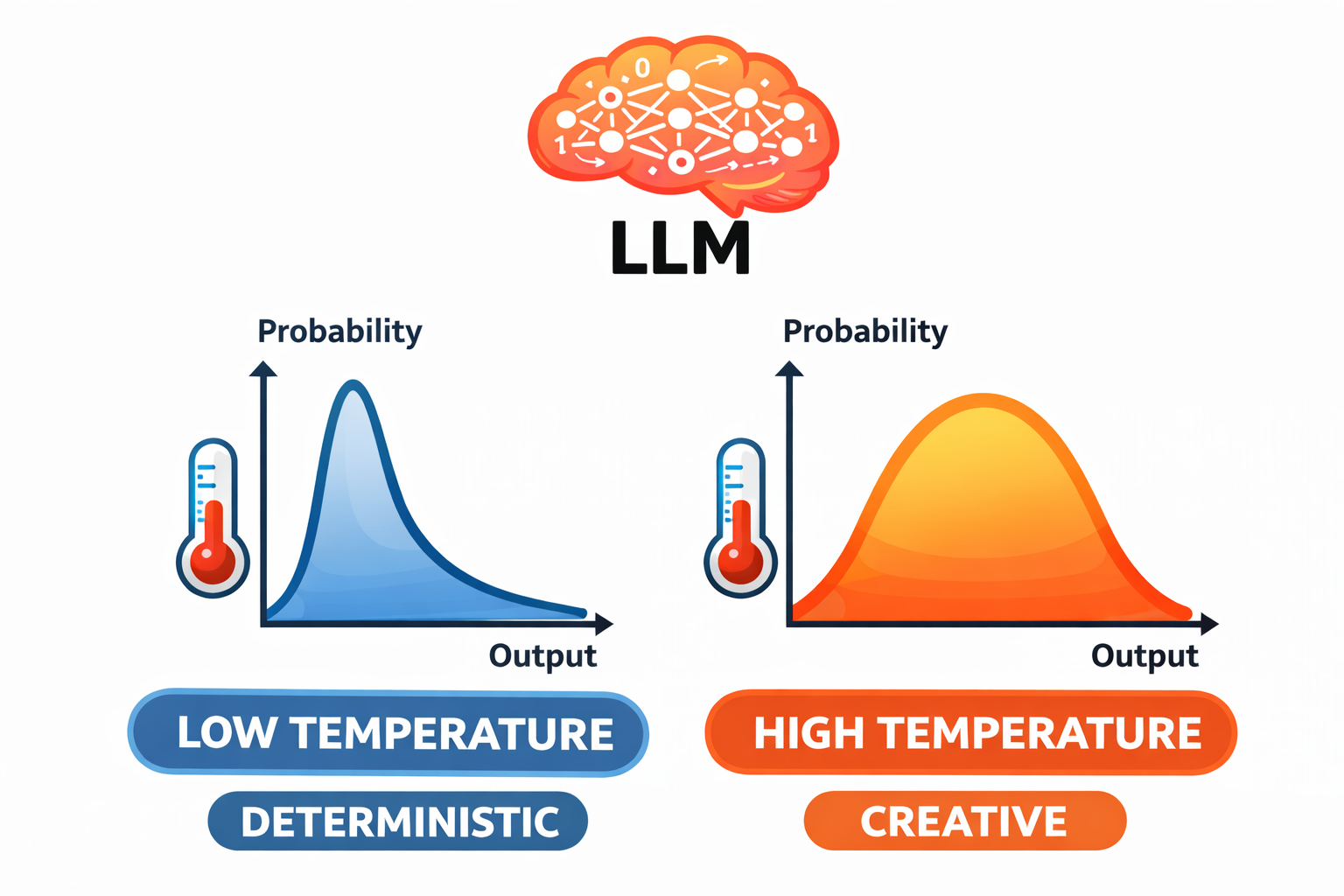
Temperature = 0.0 (deterministic). The model always selects the most probable token. Given the same input, you get the same output every time. The response is predictable and consistent, though it can feel mechanical.
Temperature = 1.0 (creative). The model samples across the full probability distribution. Less likely tokens have a real chance of being selected. The response varies each time — more creative, more surprising, and less predictable.
Values between 0 and 1 interpolate between these extremes. At 0.3, the model mostly picks the top candidates but occasionally selects a less obvious alternative. At 0.7, there is substantial variation across runs.
A Concrete Example
Consider the prompt "Name a color."
- Temperature 0: "Blue." Every time.
- Temperature 0.3: "Blue." Usually. Occasionally "Red" or "Green."
- Temperature 1.0: "Blue." Sometimes. But also "Cerulean," "Mauve," "Burnt sienna." Different every time.
The underlying knowledge does not change. The training data is fixed. What changes is how much the model explores beyond the most obvious answer.
The temperature_demo.py script demonstrates this directly — it sends the same prompt five times at each temperature setting and counts the unique responses. At temperature 0, you get identical output every run. At temperature 1.0, nearly every run produces something different.
Temperature for Agents
For most agent tasks, low temperature is the right choice — typically 0 to 0.3.
The reason is reliability. When your agent reads a file and decides which tool to call next, you want it to make the same decision every time given the same context. Randomness in that decision is a bug, not a feature. If a coding agent sometimes decides to read a file and sometimes decides to edit it given identical context, the agent's behavior becomes unpredictable and difficult to debug or improve.
Higher temperature is appropriate in specific situations: brainstorming, generating varied examples, creative writing, or any task where diversity matters more than consistency. But for the core agent loop — reading, reasoning, deciding, acting — keep temperature low.
Sampling Parameters: Top-k and Top-p
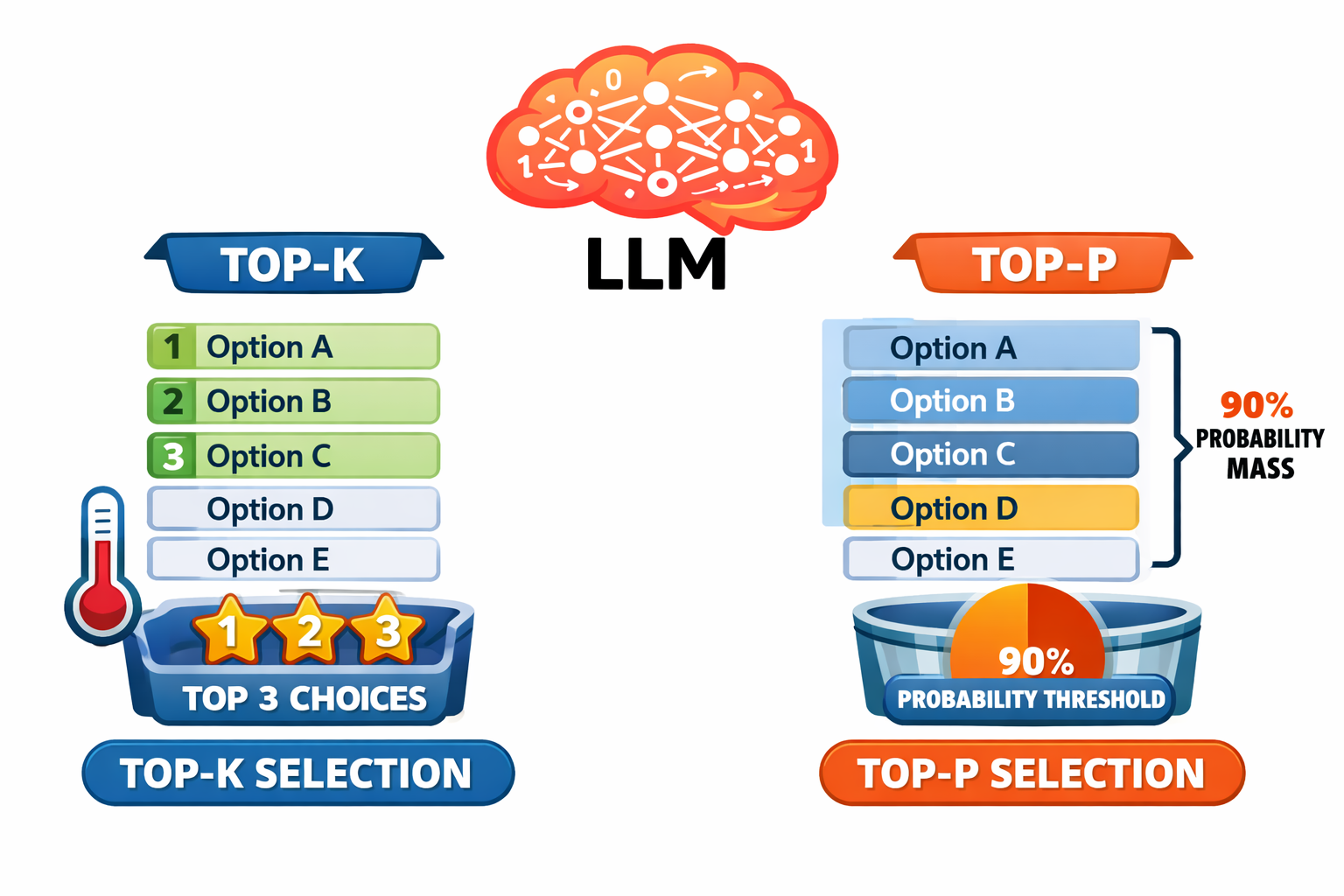
Temperature controls how random the selection is. Top-k and top-p control which tokens are even considered before the selection happens.
Top-k Sampling
Top-k restricts the selection to the k most probable tokens, ignoring everything else. Think of it as reducing the menu before ordering.
- Top-k = 1: Only the single most likely token is considered. Essentially deterministic.
- Top-k = 10: The top 10 tokens are candidates. Some variety, but constrained.
- Top-k = 50: A wider set. More variety possible.
Top-p (Nucleus) Sampling
Top-p takes an adaptive approach. Instead of a fixed number of candidates, it considers the smallest set of tokens whose combined probability exceeds the threshold p.
- Top-p = 0.1: Only tokens making up 10% of the probability mass — usually just 1-3 tokens. Very constrained.
- Top-p = 0.9: Tokens making up 90% of the probability mass. Most plausible tokens are included; only the very unlikely ones are excluded.
The advantage over top-k is adaptiveness. When the model is highly confident (one token has 95% probability), top-p naturally narrows to just that token. When the model is genuinely uncertain across many options, top-p widens to include more candidates.
Practical Recommendation
For agent development, sampling parameters are secondary to temperature. The practical guidance is:
| Parameter | Agent Default |
|---|---|
| Temperature | 0 to 0.3 |
| Top-p | 0.9 or leave at default |
| Top-k | Leave at default |
Temperature is the big lever. Top-k and top-p are refinements that matter more for creative applications than for agents. Not all APIs expose top-k and top-p controls, and default values are fine for most agent work. The important thing is understanding what these parameters do, so that when your agent behaves erratically, you can check whether generation settings are part of the cause.
Max Tokens
The max_tokens parameter sets the maximum number of tokens the model can generate in a single response. It is a hard ceiling — the model will stop generating when it hits this limit, even mid-sentence.
Getting this wrong causes real problems:
Set it too low and the response gets truncated. The stop_reason will be max_tokens instead of end_turn. For agents, this is particularly dangerous: a tool call that gets cut off mid-JSON becomes unparseable, and the agent loop breaks.
Set it too high and you reserve output capacity you do not need. This can mean higher costs and, on models with combined input/output limits, less room for input context.
A reasonable default for agents is 4096 tokens. This accommodates most text responses, code blocks, and tool call sequences without leaving the budget unconstrained. Increase it if your agent generates long outputs (writing code, producing reports). Decrease it if you want to enforce brevity.
Putting It All Together
A well-configured agent API call looks like this:
response = client.messages.create(
    model="claude-sonnet-4-6",
    max_tokens=4096,
    temperature=0,
    system=system_prompt,
    messages=conversation_history
)
Low temperature for reliability. Reasonable max_tokens for the task. System prompt and conversation history providing the context. These are the settings you will use for most agents throughout the course.
The generation_config.py script demonstrates this configuration in a complete, runnable example — a code analysis agent that examines a function for bugs using deterministic settings.
The most important takeaway from this lecture is one of proportion: getting the context right is the 10x improvement in agent quality. Parameters are the 1.1x improvement. Temperature, top-p, and max_tokens are worth understanding and setting correctly, but they are fine-tuning. The real work of agent engineering happens in the context — the system prompt, the conversation history, and the tool results that the model reasons over. That is the subject of the next lecture and the modules that follow.