Lecture 4.1: Measuring and Managing Context
Module 4, Lecture 4.1 | Section 2: Working with LLMs in Practice
Overview
Context engineering — curating the smallest possible set of high-signal tokens — is the principle introduced in Lecture 3.4. This lecture is about its prerequisite: measurement. You cannot manage context you cannot see. The goal here is to make context growth visible: how to count tokens as they accumulate, where they come from, and when the quantity starts to hurt quality.
Token Counting with the API
Every major LLM API reports token usage per call. In the Anthropic SDK, each response object includes a usage field:
response = client.messages.create(
    model="claude-sonnet-4-6",
    max_tokens=1024,
    messages=[{"role": "user", "content": "Explain recursion in two sentences."}]
)

print(f"Input:  {response.usage.input_tokens} tokens")
print(f"Output: {response.usage.output_tokens} tokens")
- Input tokens — everything sent to the model: system prompt, conversation history, tool results, and the current user message.
- Output tokens — everything the model generated in response: reasoning, tool call invocations, and the final reply.
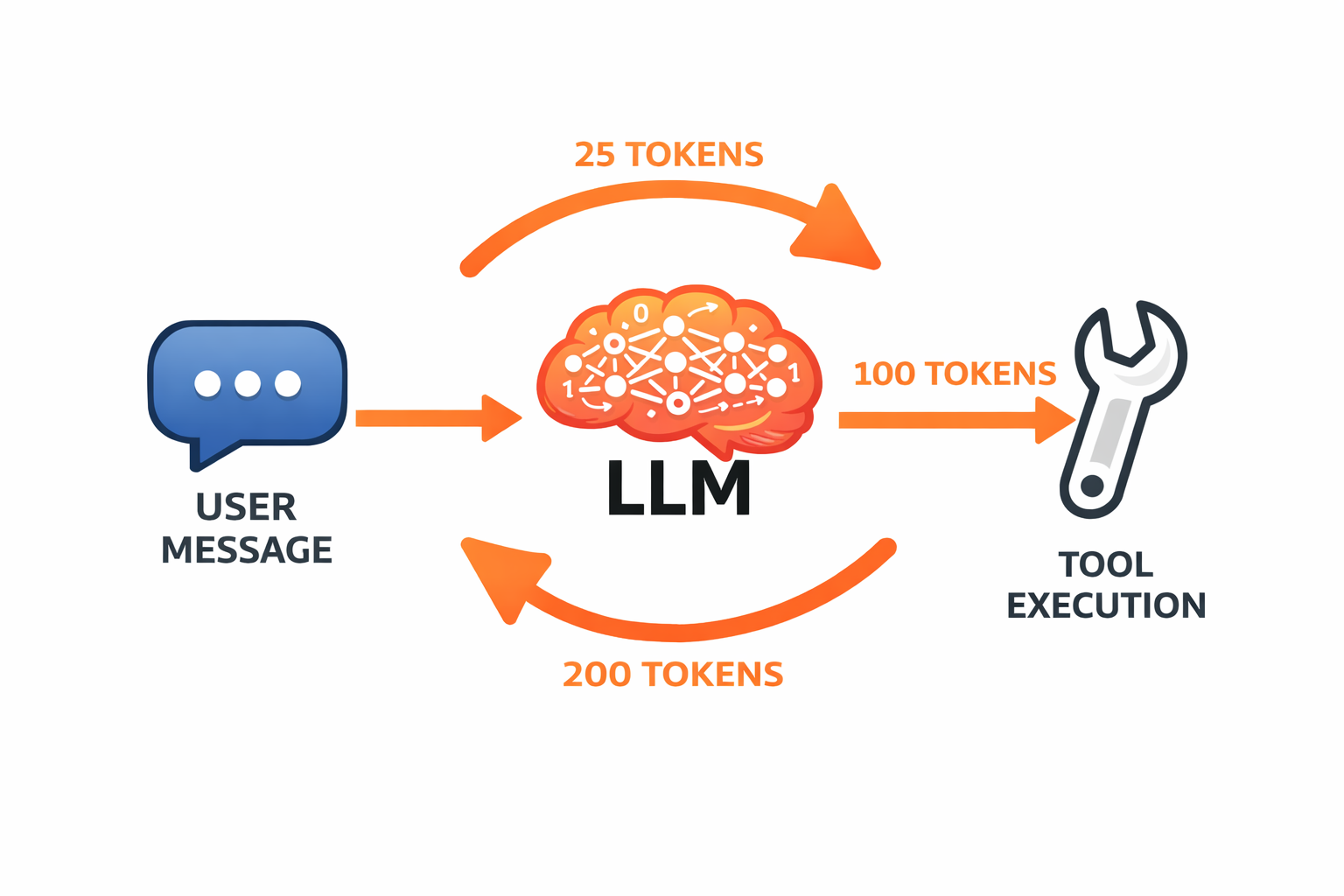
These are reported per call. Across a multi-turn session, you accumulate them yourself.
Why Input and Output Tokens Cost Differently
Output tokens cost roughly three to five times more than input tokens, and the reason is architectural. Input tokens are processed in parallel — the entire input is known upfront and can be passed through the model in a single forward pass. Output tokens are generated sequentially: each token requires a full forward pass through the model because each token depends on all preceding tokens (the autoregressive generation mechanism from Lecture 2.1).
Sequential processing means more GPU compute per token. That cost is reflected in the price. The practical implication: keeping output concise is an effective cost-reduction strategy, not just an aesthetic preference.
How Context Grows During an Agent Task
Individual API calls use surprisingly few tokens. The accumulation happens across turns. Consider a simple user request: "Fix the bug in parser.py." That sentence is maybe ten tokens. But here is what actually flows through the context window over a realistic agent session:
| Step | Event | Approximate Tokens |
|---|---|---|
| 1 | System prompt (always present) | ~500 |
| 2 | User message | ~10 |
| 3 | Agent reads parser.py |
~800 |
| 4 | Agent reads the test file | ~600 |
| 5 | Agent proposes edit | ~200 |
| 6 | Tool confirms edit | ~50 |
| 7 | Agent re-reads parser.py to verify |
~800 |
| 8 | Agent runs tests | ~400 |
| 9 | Tests fail; agent reads error output | ~300 |
| 10 | Agent makes another edit, re-reads, re-runs | ~1,500 |
Running total: ~5,160 tokens from a single user request.
Notice step 7: the agent reads the same file twice, and both copies stay in context. The model does not remember that it already read the file — every tool result is re-sent on every subsequent call. That is the fundamental reason context grows so fast.
Where the Tokens Come From
In a typical agent session, the token breakdown is roughly:
- System prompt: 5–10%
- User messages: 2–5%
- Assistant responses: 15–25%
- Tool results: 50–70%
Tool results dominate. Every file read, command output, and search result is appended to the context and re-sent on every future call. This is why token-efficient tool design (covered in Lecture 4.3) has such a large impact — it is the biggest lever available.
Observing This in Code
The script context_growth.py simulates a five-turn coding assistant session and tracks token accumulation per step:
# After each API call, track cumulative tokens
cumulative_input += response.usage.input_tokens
cumulative_output += response.usage.output_tokens

print(f"Step {i:<3} in={response.usage.input_tokens:>6} "
      f"out={response.usage.output_tokens:>6} "
      f"cum_in={cumulative_input:>8}")
Running this produces output like:
Step   1   in=   137   out=  313   cum_in=      137
Step   2   in=   461   out=  224   cum_in=      598
Step   3   in=   703   out=  187   cum_in=     1301
Step   4   in=   912   out=  209   cum_in=     2213
Step   5   in=  1142   out=  271   cum_in=     3355
The input token count on each call is the full conversation re-sent. Output from previous steps becomes input for all subsequent steps. After five turns of a simple coding conversation, cumulative input tokens approach 4,000 — and that is without any file reading.
The complete script is in context_growth.py.
Quality Degrades Before the Hard Limit
Context windows are advertised as ceilings — 128K, 200K, even 1M tokens for recent models. These are hard limits. Once your context exceeds the model's maximum, the API rejects the request. But the practical limit is lower.
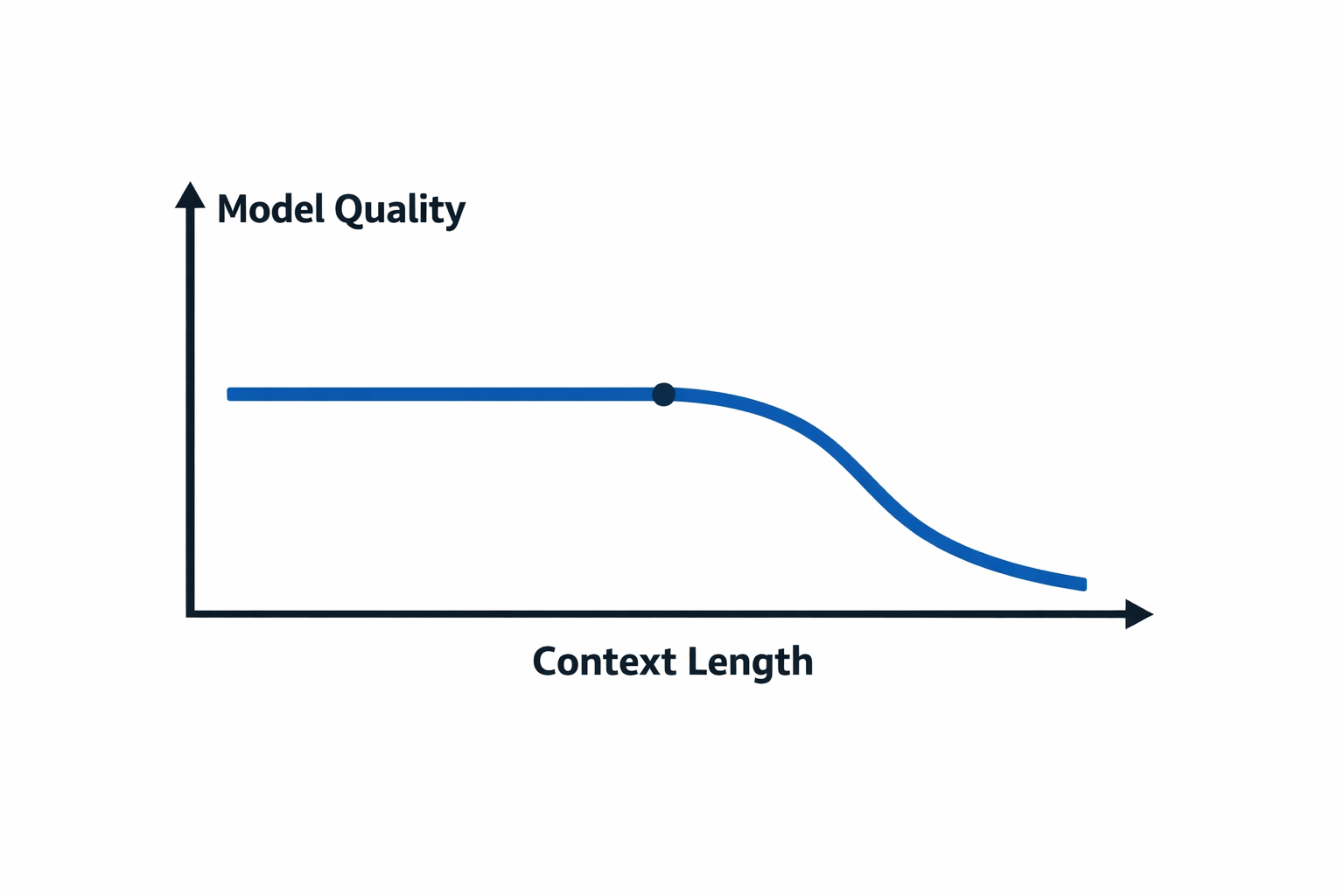
Quality degrades well before the hard limit is reached. More context means the model's attention must cover more tokens, and the coverage becomes thinner. The degradation is not gradual — it tends to hold steady for a while and then drop sharply once the context becomes dense enough that the model struggles to maintain coherence.
The "Lost in the Middle" paper (Liu et al., 2023) established a specific pattern: models attend more to the beginning and end of long contexts, with weaker recall for information in the middle. Content in the middle of a long conversation is less likely to influence output, regardless of its relevance. In practice, you may notice an agent that starts a session with high precision gradually becoming less precise as the conversation grows — ignoring earlier instructions, losing track of constraints, giving less targeted answers.
The threshold where quality noticeably degrades is typically around 60–70% of the model's maximum context — not 90% or 95%. The context window is a ceiling, not a target.
Setting a Context Budget
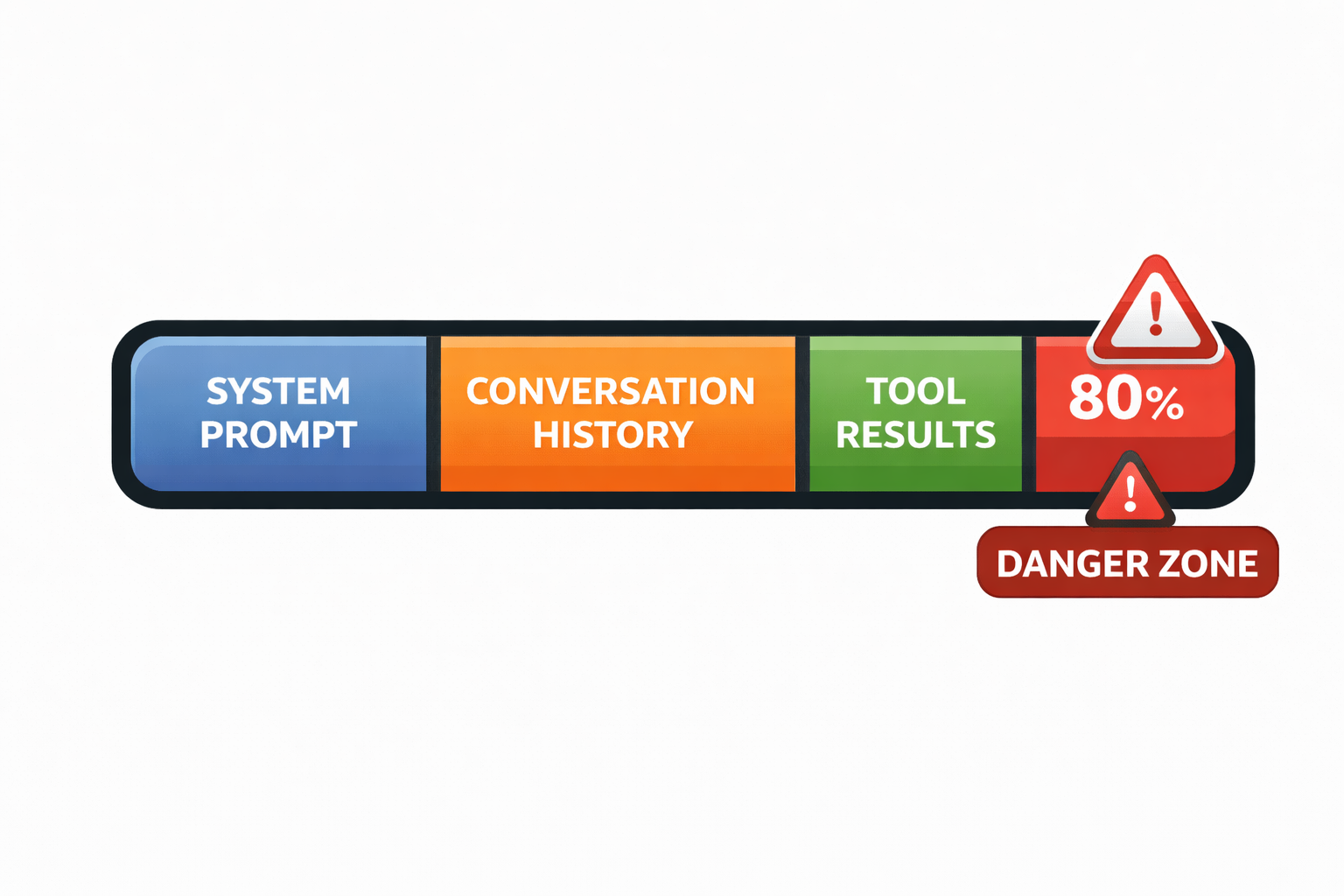
A context budget is a threshold: when the current context size reaches X% of the model's limit, take action. The common default is 80%.
MAX_CONTEXT = 200_000  # model's limit
BUDGET = int(MAX_CONTEXT * 0.80)  # 160,000 tokens

if response.usage.input_tokens > BUDGET:
    # Time to manage context — strategies in Lecture 4.2
    print(f"Context budget exceeded: {response.usage.input_tokens}/{BUDGET}")
The 80% threshold is chosen deliberately: it leaves enough headroom for the model to operate on the current context — to summarize it, compact it, or take some other action. If you wait until the hard limit, there is nothing you can do. If you act at 80%, you still have 20% available for remediation.
The specific strategies — sliding windows, selective preservation, compaction — are covered in Lecture 4.2. What matters here is establishing the habit of checking.
Why Not Just Use the Biggest Available Window?
Three reasons to keep context small rather than expanding to the largest available window:
- Cost — Input tokens are re-sent on every call. In a session that runs to 800K tokens of context, you pay for all 800K tokens on every subsequent call.
- Quality — A 50K-token context often produces better results than a 150K-token context for the same task, because attention is more focused.
- Latency — More input tokens means longer time to first output token.
The goal is the smallest context that contains everything the model needs — not the largest context the model will accept.
Instrument From the Start
Token tracking should be built into an agent from the beginning, not added after performance problems appear. The minimum viable instrumentation is a print statement after every API call:
print(f"[tokens] in={response.usage.input_tokens} "
      f"out={response.usage.output_tokens} "
      f"total={response.usage.input_tokens + response.usage.output_tokens}")
What to track:
- Input and output tokens per call
- Cumulative input tokens across the session (this is your context growth curve)
- When you cross your budget threshold
This is a print statement at this stage. As the course progresses and we build a full agent framework, this becomes a proper TokenTracker class with history, alerting, and budget enforcement. The underlying data — response.usage.input_tokens — is the same. What changes is how it is structured and acted upon.
The key principle: token consumption is never a mystery. The API always reports exactly what was used. Context size is something you have complete visibility into — and therefore something you can manage.
Key Takeaways
- Every API call reports token usage — input and output, per call. Track both.
- Tool results dominate context growth — 50–70% of tokens in a typical agent session.
- Quality degrades before the hard limit — set a budget (80% is a reasonable default) and act before the window fills.
- Measure from the start — you cannot manage context you cannot see.